In short
- Finseo offers agency and client logos, colors, fonts, PDF and PowerPoint exports, presentation links, and a Looker Studio connector, but its native Report Builder does not automatically email reports.[2]
- Semrush Pro Reports supports white labeling with logos, colors, fonts, custom sender addresses, commentary, and daily, weekly, or monthly delivery to as many as 30 recipients.[5]
- Promptwatch and AthenaHQ document scheduled report delivery, while Looker Studio is a practical option for live dashboards and scheduled distribution when agencies need to combine AI visibility with analytics.[1]
- A useful GEO client report separates visibility metrics from downstream signals such as AI referral sessions, branded search, sign-ups, and conversions.[13]
- Agencies should verify tracking scope, sample size, cadence, reproducibility, methodology, and platform coverage before using AI visibility reports to support budget or strategy decisions.[37]
- Semrush Pro Reports supports white labeling with logos, colors, fonts, custom sender addresses, commentary, and daily, weekly, or monthly delivery to up to 30 recipients.[5]
Table of contents
- White-Label AI Visibility Reports: Which Tools Offer Them in 2026?
- What is a white-label AI visibility report?
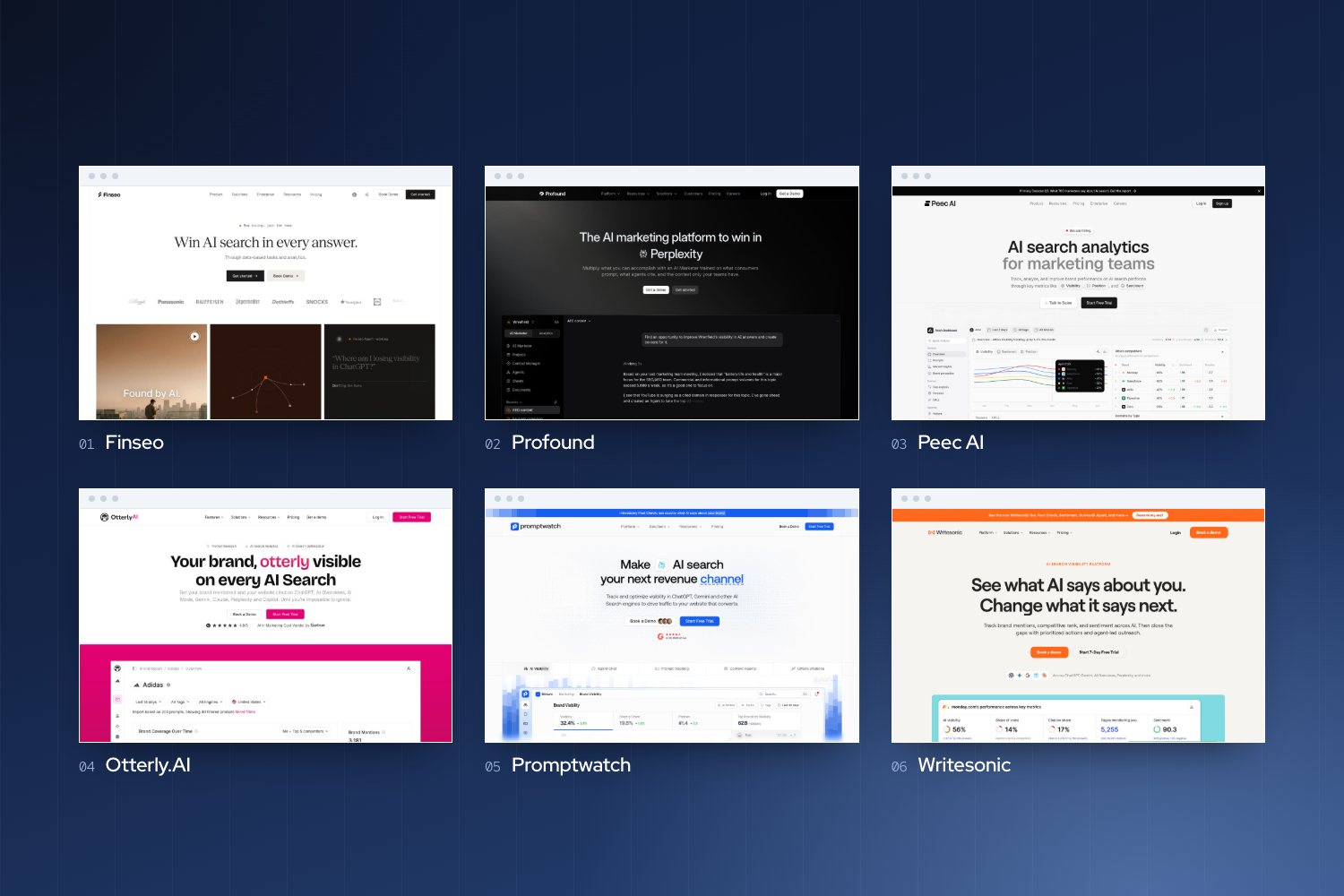
- Which AI visibility tools offer white-label agency reports, exports, and Looker Studio dashboards?
- How does Finseo handle agency reporting, integrations, and pricing?
- What should an AI visibility report include for prompts, citations, share of voice, and competitors?
- What should clients see in a white-label AI visibility report?
- Which AI visibility reporting model fits agencies: native reports, dashboards, Looker Studio, or API?
- How can agencies make reports decision-grade?
- How do you deliver white-label AI visibility reports to clients?
- FAQ
- Sources
White-Label AI Visibility Reports: Which Tools Offer Them in 2026?
A white-label AI visibility report should do more than display a score: it should carry the agency’s branding, show evidence behind visibility changes, explain business relevance, and give the client clear next steps. Finseo, Semrush Pro Reports, Scrunch, Promptwatch, and Rankscale explicitly document branded or white-label reporting, while other platforms focus on shareable dashboards, exports, or Looker Studio delivery.[1]
What is a white-label AI visibility report?
A white-label AI visibility report is a client-facing report that presents AI-search data under an agency’s branding rather than the software vendor’s visual identity. Depending on the platform, it may include logos, colors, fonts, custom sender details, branded dashboards, PDF or PowerPoint exports, or a client-facing link.[2]
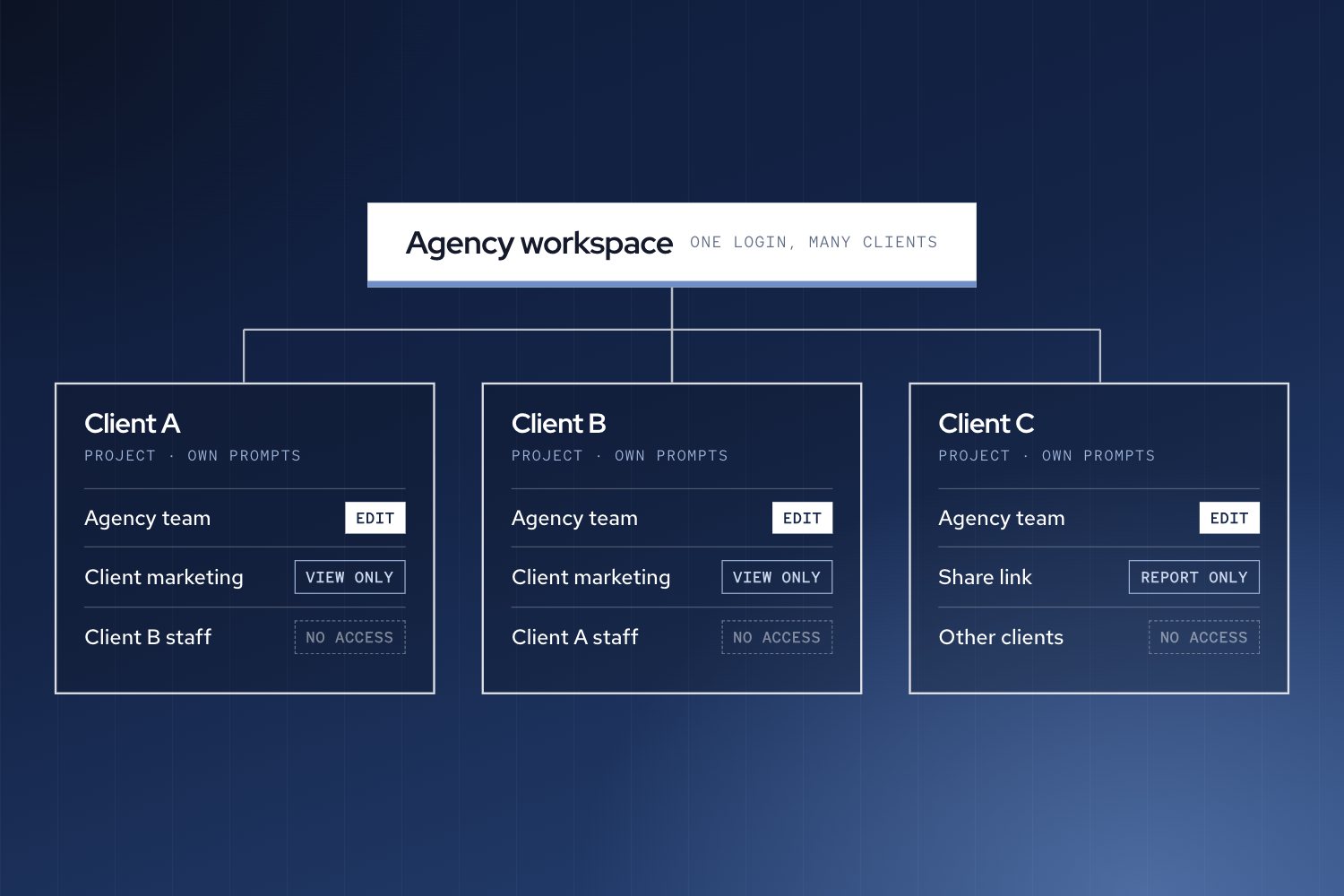
“White-label” and “shareable” are not interchangeable. A public dashboard link or read-only client view can provide access without offering native agency branding, while an API or MCP connection can support a highly customized report but may require the agency to build and maintain the workflow.[3]
Agencies should also distinguish three separate capabilities:
- Data refresh: how often the platform collects or updates visibility data.
- Client access: whether clients can open a dashboard, presentation link, or shared project.
- Report delivery: whether the system sends a finished report automatically on a schedule.
Daily tracking does not automatically mean scheduled client delivery. Finseo’s native Report Builder, for example, does not email reports automatically, although its Looker Studio route can support scheduled delivery.[2][4]
Which AI visibility tools offer white-label agency reports, exports, and Looker Studio dashboards?
The following comparison focuses on client-facing branding, exports, scheduling, and Looker Studio or related delivery options.
| Tool | White-label or client-facing output | Scheduling | Looker Studio or equivalent | Best fit |
|---|---|---|---|---|
| Finseo | Agency and client logos, colors, fonts, PDF, PowerPoint, editable PowerPoint in beta, and presentation links.[2] | Native Report Builder does not automatically email reports.[2] | Connector covers visibility trends, competitor rankings, sources, prompt performance, and fan-outs; Looker Studio can schedule delivery.[4] | Agencies wanting native branded reports plus a broader GEO workflow |
| Semrush Pro Reports | White labeling, logos, colors, fonts, custom sender addresses, commentary, and branded delivery.[5] | Daily, weekly, or monthly delivery to up to 30 recipients.[5] | The reviewed agency reporting sources emphasize Pro Reports rather than a Looker Studio workflow.[1] | Agencies seeking mature scheduled branded reporting |
| Promptwatch | PDF dashboard snapshots with a logo, date and filter header, visibility gauges, and selected widgets.[6] | Scheduled delivery supports frequency, lookback window, and recipients.[1] | Read-only API-key workflow for client-specific Looker Studio dashboards.[1] | Agencies needing scheduled PDF reports and client dashboards |
| Scrunch | Multi-client workspaces, custom dashboards, API access, and white-label outputs.[7] | Specific built-in scheduled email-report delivery is not published in the reviewed sources.[7][8] | MCP reporting prompts can support weekly briefs and other workflow-generated reports.[9] | Agencies comfortable assembling customized reporting workflows |
| Peec AI | Agency-branded dashboards and a documented white-label workflow using MCP, Claude, and Lovable.[10] | Automated weekly reporting is described in agency materials.[11] | Read-only Looker Studio links are described, but the agency page and pricing grid conflict on lower-tier access.[12][13] | Agencies combining dashboards, automation, and custom report generation |
| OtterlyAI | PDF audits, CSV exports, and raw AI-response exports; native white-label branding is not published in the reviewed sources.[12] | Scheduled report delivery is not published in the reviewed sources.[14][15] | Live datasets and shareable Looker Studio dashboards are documented.[14] | Agencies that prioritize exports and live dashboard access |
| Profound | PDF exports and public links that reflect current data without requiring a Profound login; native white-label branding is not published.[16] | Scheduled report delivery is not published in the reviewed dashboard material.[17][15] | The reviewed sources focus on dashboards and public links.[16] | Agencies needing easy access to current dashboards |
| AthenaHQ | Configurable PDF reports plus PNG and CSV exports; white-label branding is not published in the reviewed documentation.[12][18] | Weekly, monthly, or quarterly delivery by email or Slack.[19] | The reviewed sources emphasize dashboards and report delivery.[15] | Agencies needing scheduled multi-brand reporting |
| Rankscale | PDF or email reports, with advanced white-label sharing for Pro and Enterprise users.[20] | Monitoring schedules are mentioned, but recurring client-report cadence is not published.[21][3] | API access and multi-brand dashboards are documented.[22][8] | Agencies needing white-label sharing and multi-brand views |
| SE Visible | API, MCP, Google Data Studio, and shared project access; white labeling is described as not yet available.[23] | Scheduled client reports and PDF or CSV export are not published in the reviewed sources.[24] | Google Data Studio access is documented.[25] | Agencies that need data access rather than branded reports |
The choice depends on the agency’s delivery promise. A recurring branded PDF or presentation favors a native report builder; a live client workspace favors a dashboard or BI connector; and a custom narrative or cross-system report may justify an API or MCP workflow.[24][12]
How does Finseo handle agency reporting, integrations, and pricing?
Finseo suits agencies that want native white-label reporting combined with AI visibility tracking, citation analysis, competitor data, and action workflows. For the business-signals part of a client report, it pairs visibility data with AI referral analytics from GA4, Piwik PRO or Matomo and with survey-based attribution matched to orders. From the Business plan it also adds a prioritized task list with impact and effort scores, plus content optimization with an AEO score, to fill the next-steps section. For agencies serving enterprise clients, Finseo offers SSO via SAML, roles per project, an audit trail and unlimited seats. It is hosted in Frankfurt, Germany with EU data residency, is GDPR-compliant with a data processing agreement (DPA), and is ISO 27001 certified, according to its enterprise page.
Its Report Builder supports agency and client logos, colors, and fonts. Report content can include visibility, mentions, citations, sentiment, prompt performance, categories, personas, and competitor ranking, with outputs available as PDF, PowerPoint, editable PowerPoint in beta, and a presentation link.[2]
Key Finseo reporting features
- Branded agency and client logos, colors, and fonts.[2]
- Visibility, mention, citation, sentiment, prompt, persona, category, and competitor-ranking views.[17]
- PDF export and PowerPoint export, including editable PowerPoint in beta.[2]
- Presentation links for sharing a report view with clients.[9][16]
- Looker Studio connector for visibility trends, competitor rankings, top sources, prompt performance, and query fan-outs.
- REST API and MCP access for agencies that need custom workflows.[26][27]
- White-label reporting and pooled response capacity in agency packages.[28]
The principal limitation is delivery. Finseo’s standalone Report Builder does not automatically email reports.[2] An agency that needs automated distribution can instead use the Looker Studio connector, apply its own dashboard styling, combine visibility data with other sources, and schedule delivery through Looker Studio.[12][27]
Finseo public pricing and reporting capacity
Finseo’s pricing page lists the Business plan at EUR 210 per month (about $231), or EUR 175 (about $193) billed yearly, while Enterprise and Managed Service use custom pricing.[29]
| Public plan | Public pricing status | Reporting-related information |
|---|---|---|
| Business | EUR 210 per month (about $231), or EUR 175 (about $193) billed yearly.[13][15] | 150 prompts, 13,500 AI answers per month, one project, unlimited team seats, and daily/weekly tracking.[29] |
| Enterprise | Custom pricing; book a demo.[29] | Custom prompts, answers, websites, and projects, with unlimited seats and daily updates.[29] |
| Managed Service | Custom pricing and scope.[29] | Custom prompts, answers, websites, projects, and AI Agent credits, with setup by the Finseo team and a managed service option.[29] |
MCP access and the Looker Studio connector are included on every plan, and API & Webhooks start on the Growth plan at EUR 479 per month (about $528), or EUR 399 (about $439) billed yearly.[4] Agency packages include white-label reporting and MCP, starting with Agency Solo at EUR 349 per month (about $384).
What should an AI visibility report include for prompts, citations, share of voice, and competitors?
A strong AI visibility report should answer five questions:
- What changed during the reporting period?
- Where is the brand visible or absent?
- Which competitors, sources, and prompts explain the change?
- Is there evidence of downstream business impact?
- What should the agency and client do next?
The following structure works as an AI visibility report template:
- Executive summary: State the client goal, reporting period, largest gain, largest risk, and recommended next action.[10][13]
- Methodology note: List engines, markets, prompts, frequency, comparison period, and any sampling limitations.[13][17]
- Visibility overview: Show visibility or mention trends, share of voice, citations, sentiment, average position, and platform or market breakdowns.[30][31]
- Competitor comparison: Identify competitors gaining or losing ground and show where the brand wins, loses, or appears alongside them.[13]
- Prompt evidence: Include prompts where the brand appears, is absent, or appears below a competitor.[13]
- Citation and source analysis: Show cited pages and domains, citation frequency, unique prompts, and the engines using those sources.[17]
- Business signals: Report AI referral sessions, branded search, sign-ups, and conversions separately from visibility metrics.[13]
- Actions and ownership: List completed work, recommended actions, owners, priority, and the next review date.[9][32]
- Appendix: Include definitions, tracked prompt groups, engine coverage, and relevant answer examples.[17]
This structure turns an AI visibility report into a decision document rather than a collection of dashboard screenshots. It also makes the report easier to adapt for monthly retainers, quarterly business reviews, and one-off GEO audits.[24]
What should clients see in a white-label AI visibility report?
Clients usually need a concise interpretation before they need the full dataset. The first page should explain the goal, the reporting period, the most meaningful change, and the recommended action.[13]
A practical report can organize information into five blocks:
| Report block | Recommended contents | Client value |
|---|---|---|
| Executive summary | Goal, overall movement, top win, main risk, next action.[13][33] | Gives decision-makers the conclusion before the detail. |
| Visibility and competition | Mentions, visibility, share of voice, citations, sentiment, average position, engines, markets, and competitors.[30] | Shows how the brand is performing and against whom. |
| Prompt and source evidence | Brand-present and brand-absent prompts, answer examples, cited pages, domains, and competitor sources.[17] | Makes the result auditable and actionable. |
| Business signals | AI referral sessions, branded search, sign-ups, and conversions.[13] | Connects visibility work with business data without overstating causality. |
| Actions and cadence | Completed work, next steps, owners, priorities, and reporting schedule.[24] | Gives the client a clear route from insight to execution. |
Visibility is not itself a business outcome. Mentions, citations, share of voice, and prompt visibility should remain separate from visits, sign-ups, and conversions, because referral and attribution data can be incomplete or unreliable.[13] Finseo’s own review of the AI search attribution gap found that analytics records about 1 in 10 AI-driven conversions, and it covers how a post-purchase survey can help close that gap.
Which AI visibility reporting model fits agencies: native reports, dashboards, Looker Studio, or API?
Agencies should choose the delivery model before choosing the reporting tool.
| Delivery model | Advantages | Trade-offs | Suitable when |
|---|---|---|---|
| Native branded report | Strongest control over agency identity, repeatable exports, and client-ready presentation.[27] | May have limits around scheduling, customization, or plan access.[34][2] | The agency sells a recurring branded deliverable. |
| Shared live dashboard | Clients can inspect current data, and agencies can combine visibility with analytics or Search Console data.[5][35] | A share link may not be white-label; access, branding, and refresh rules vary.[3][10] | The client wants ongoing visibility into the data. |
| Looker Studio delivery | Supports client-specific views, additional data sources, and scheduled distribution through the BI layer.[12] | Connector availability and plan access can vary; dashboard design and QA remain agency responsibilities.[24][12] | The agency already operates a reporting stack in Looker Studio. |
| API or MCP workflow | Enables custom narratives, integrations, and highly tailored report formats.[3] | Requires implementation, maintenance, and quality assurance.[24] | The agency needs a specialized workflow or proprietary report format. |
Finseo, Semrush Pro Reports, Scrunch, Promptwatch, and Rankscale explicitly describe white-label or branded outputs.[13] Profound and OtterlyAI document useful sharing options, but native white-label branding is not published in the reviewed sources.[3][17]
How can agencies make reports decision-grade?
A dashboard can look authoritative while still producing misleading comparisons. A systematic literature review found that visualization can improve decision effectiveness and efficiency, but the result depends on context and design; unsuitable visualizations can create risk or overconfidence.[15]
For client reporting, each chart should support a specific decision. Label the date range, comparison period, engine coverage, market, prompt set, and metric definition. Pair every important visual with a short interpretation that explains what changed and why it matters.[24][36]
Measurement transparency matters especially when clients use reports to allocate budget. The IAB’s 2026 framework distinguishes directional measurement for trend and competitive awareness from decision-grade measurement, which requires greater disclosure around sample size, prompt coverage, cadence, reproducibility, validation, methodology, and platform coverage.[37]
Use a visible methodology note that states:
- Which AI engines were tracked.
- Which countries, languages, and markets were included.
- How many prompts were measured.
- How often prompts were run.
- Whether results represent a fixed sample or a changing prompt set.
- Which competitors were tracked.
- How visibility, mention, citation, and share-of-voice metrics were defined.
- Which downstream analytics and attribution sources were connected.
- Which limitations affect interpretation.
What should an AI visibility report methodology note say?
“This report covers the listed engines, markets, and tracked prompts during the stated reporting period. Visibility metrics describe observed brand appearances, citations, positions, or share of voice within that sample; they are not estimates of total AI prompt volume. Downstream referral and conversion data are reported separately because visibility does not by itself establish causation. Results may vary with prompt wording, engine behavior, location, language, sampling, and measurement cadence.”[17][37]
How do you deliver white-label AI visibility reports to clients?
Start by selecting the client promise: a branded PDF, a live dashboard, a scheduled email, or a custom report assembled from APIs. Then verify that the chosen platform supports the required combination of branding, exports, scheduling, client access, and data integrations rather than assuming that one feature implies the others.[18]
For most agencies, the practical shortlist is:
- Finseo for native agency branding, PDF and PowerPoint exports, presentation links, and a Looker Studio route for scheduled delivery.[2]
- Semrush Pro Reports for white-labeled reports with custom branding, commentary, sender details, and daily, weekly, or monthly delivery.[5]
- Promptwatch for branded PDF snapshots, scheduled delivery, and client-specific Looker Studio dashboards.[1]
- Peec AI for automated agency reporting and custom white-label workflows, subject to plan verification for Looker Studio access.[12]
- Scrunch for multi-client workspaces, white-label outputs, and MCP-based reporting workflows.[7]
- AthenaHQ when scheduled email or Slack delivery is more important than documented native white-label branding.[27][19]
Before presenting a report to a client, test the complete workflow: data refresh, dashboard permissions, branding, export quality, scheduled delivery, metric definitions, and methodology note. The client should be able to understand what changed, inspect the evidence, and see what happens next without needing to decode the vendor’s interface.[13]
Frequently asked questions
What is a white-label AI visibility report?
A white-label AI visibility report is a client-facing report presented with an agency’s branding rather than the software vendor’s identity. It may include branded logos, colors, fonts, custom sender details, PDF or PowerPoint exports, or a branded dashboard.[2]
Which AI visibility tools offer white-label reports?
Finseo, Semrush Pro Reports, Scrunch, Promptwatch, and Rankscale explicitly document branded or white-label outputs.[1][7] Peec AI also documents agency-branded dashboards and a composed MCP workflow for creating a white-label client report.[10][24]
Does Finseo automatically email white-label reports?
Finseo’s native Report Builder does not automatically email reports.[2] Agencies can use the Looker Studio connector to create branded dashboards and schedule delivery through Looker Studio, while the Report Builder remains the route for PDF and PowerPoint exports.[1][12]
Can Looker Studio be used for GEO client reports?
Yes. Finseo, Peec AI, OtterlyAI, Promptwatch, and SE Visible document Looker Studio or Google Data Studio connections or workflows.[1][35] Agencies should verify plan entitlements because Peec’s agency page and pricing grid conflict on lower-tier Data Studio access.[11][34]
What should an AI visibility report template include?
A useful template includes an executive summary, methodology note, visibility and competitor trends, prompt evidence, cited sources, downstream business signals, and prioritized next steps.[13] It should separate visibility from conversions and explain the comparison period, tracked sample, engine coverage, and attribution limitations.[13]
How often should agencies send GEO client reports?
The reporting cadence should match the client’s decision cycle and the agency’s service agreement. The reviewed tools document daily, weekly, monthly, and quarterly delivery options, but tracking frequency and report-delivery frequency are separate capabilities.[13]
Which AI visibility tools offer API or MCP access for custom reporting?
Finseo includes MCP access and its Looker Studio connector on every plan, and the REST API from the Growth plan.[4] Scrunch documents API access and MCP reporting prompts, Rankscale documents API access and multi-brand dashboards, and SE Visible documents API, MCP, and Google Data Studio access.[24][25] API or MCP workflows enable highly tailored reports but require implementation, maintenance, and quality assurance.[15]
How should an AI visibility report show competitors and share of voice?
A visibility overview should show mention trends, share of voice, citations, sentiment, average position, and platform or market breakdowns.[30][14] The competitor section should identify competitors gaining or losing ground and show where the brand wins, loses, or appears alongside them.[13] Finseo's Report Builder includes competitor ranking, and its Looker Studio connector covers competitor rankings and top sources.[4]
How much does Finseo cost for agency reporting?
Finseo's Business plan costs EUR 210 per month (about $231), or EUR 175 (about $193) billed yearly, and Enterprise and Managed Service use custom pricing.[29] The Business plan includes 150 prompts, 13,500 AI answers per month, one project, unlimited team seats, and daily/weekly tracking.[29] Agency packages include white-label reporting, starting with Agency Solo at EUR 349 per month (about $384).[24]
Sources
- [1]GEO for agencies: pitch, win, and report on clients — promptwatch.com
- [2]AI Visibility Report Builder | Branded Reports | Finseo — finseo.ai
- [3]JMIR Human Factors - Lessons Learned From Developing Dashboards to Support Decision-Making for Community Opioid Response by Community Stakeholders: Mixed Methods and Multisite Study — humanfactors.jmir.org
- [4]Data & Reporting Integrations: Looker Studio, MCP Server, REST API — finseo.ai
- [5]Customizable AI visibility reporting for agencies | Semrush — semrush.com
- [6]Creating a PDF report — promptwatch.com
- [7]Scrunch | AI search optimization for agencies — scrunch.com
- [8]Scrunch | FAQs - What products does Scrunch offer for AI search optimization? — scrunch.com
- [9]Reporting Digests — developers.scrunch.com
- [10]White label client report - Peec AI MCP Use Case — peec.ai
- [11]Peec AI Agency Pricing: Plans Built for Multi-Brand Tracking — peec.ai
- [12]AI Search Visibility Tracking for Marketing Agencies | Peec AI — peec.ai
- [13]How to measure AI search visibility: KPIs & reporting — semrush.com
- [14]OtterlyAI Data Studio Connector (Looker Studio) — help.otterly.ai
- [15]The effects of visualization on judgment and decision-making: a systematic literature review | Management Review Quarterly | Springer Nature Link — link.springer.com
- [16]AEO Dashboards: Build Custom AI Visibility Reports | Profound — tryprofound.com
- [17]Analytics and reporting — docs.tryprofound.com
- [18]Olympus Dashboard — docs.athenahq.ai
- [19]Report Builder (Edit Report) — docs.athenahq.ai
- [20]Frequently Asked Questions — rankscale.ai
- [21]Enterprise AI Visibility Platform | Rankscale — rankscale.ai
- [22]Brand Visibility Dashboard | Monitor All Brands Across AI Search | Rankscale — rankscale.ai
- [23]SE Visible FAQ – Knowledge Base — help.seranking.com
- [24]SEO Report for Clients: The 2026 Guide (GA4, AI Visibility & Automation) — seranking.com
- [25]Client access and reporting – Knowledge Base — help.seranking.com
- [26]API | Rankscale — rankscale.ai
- [27]SE Ranking for Agencies: Your One-Stop Solution for Daily SEO — seranking.com
- [28]Ahrefs Brand Radar: Study your brand’s AI visibility — ahrefs.com
- [29]Pricing, Business, Enterprise & Managed Service | Finseo — finseo.ai
- [30]AI Visibility Brand Performance Reports — semrush.com
- [31]AI Visibility Overview Report — semrush.com
- [32]Platform | Monitor, Understand & Act on AI Search | Action on AI Search — athenahq.ai
- [33]Plans & Pricing | Action on AI Search — athenahq.ai
- [34]Pricing | Rankscale — rankscale.ai
- [35]Connect Looker Studio to Finseo — docs.finseo.ai
- [36]A Client Reporting Guide for Digital Agencies — semrush.com
- [37]Executive Summary — iab.com