In short
- Give each client a named, project-scoped, read-only seat by default, because least privilege is safer than broad workspace access.[6]
- Unlimited seats do not guarantee client isolation: Peec distinguishes broad Company Members from project-limited Project Viewers, and Scrunch distinguishes organization Viewers from brand-limited Guests.[7][6]
- Use shared links for deliberately shareable presentations and exports for periodic reporting; Finseo and Profound publish no-login links; check password, expiry and revocation controls with each vendor.[3]
- Keep prompts, competitors, engines, schedules, users, billing and integrations under agency control rather than treating client visibility as configuration authority.[34][11]
- SSO and audit logs must be evaluated separately from roles: SSO may not revoke API keys, and some audit logs record changes without recording report views.[3]
Table of contents
- What should a GEO platform client be allowed to see?
- Which access model should an agency use?
- How do major GEO platforms handle client seats and sharing?
- How should an agency compare roles and permissions?
- How should an agency handle SSO and audit trails?
- How should an agency set up client access?
- What should happen when a client leaves?
- Which access setup fits each agency size?
- FAQ
- Sources
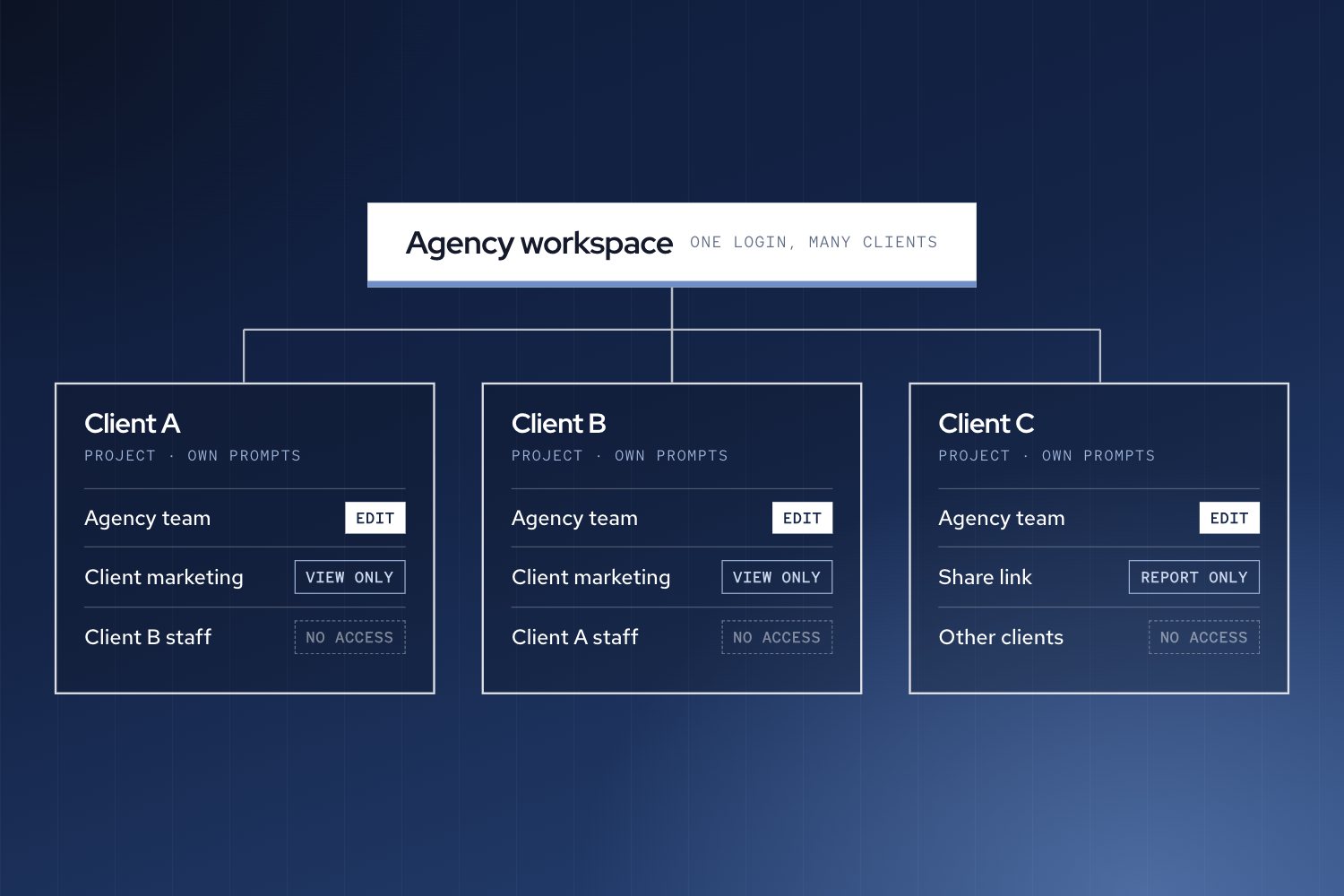
The safest default is a named, project-scoped, read-only client seat. Use shared links only for deliberately shareable presentations, and use exported reports when clients need periodic updates rather than live data. Keep prompts, competitors, engines, integrations, users and billing under agency control. OWASP recommends denying access by default and granting only the permissions required for a task.[1]
This approach separates three decisions that agencies often collapse into one:
- Identity: Is the client a named user or an anonymous link recipient?
- Scope: Can the client see one project, one brand or the whole agency workspace?
- Authority: Can the client only read results, or can they change the measurement setup?
A client seat can be inexpensive or unlimited without being safe by default. Peec, for example, publishes unlimited client users, but a Company Member can access all existing projects and manage membership, while a Project Viewer sees only shared projects.[2] Finseo publishes unlimited client seats in its agency plans and says clients receive read-only access to assigned projects.[3] Its enterprise page adds SAML SSO, roles per project and an audit trail, with hosting in Frankfurt, Germany, under EU data residency. Finseo is GDPR-compliant, provides a data processing agreement (DPA) and is ISO 27001 certified.
What should a GEO platform client be allowed to see?
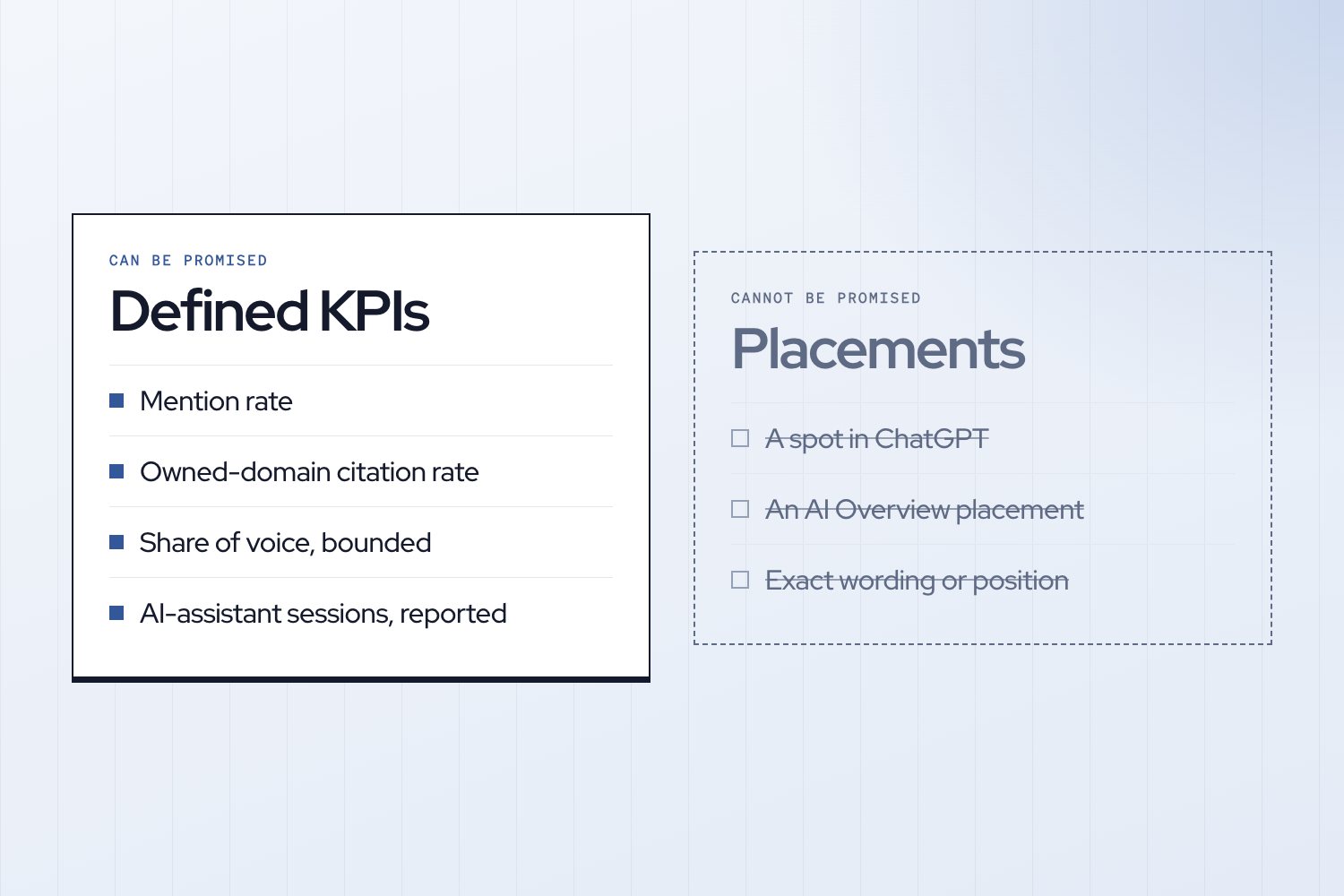
A client should normally see the outcomes of the agency’s measurement system, not its controls. Recommended client access includes:
- Visibility, mention, citation and share-of-voice results for the client’s project.
- Approved competitor comparisons.
- Citation sources and agreed reporting dashboards.
- Sentiment findings, where relevant.
- Exported reports or approved presentation views.
- Read-only historical trends.
The client should not normally be able to change:
- Prompt wording, prompt groups or sampling settings.
- Competitor domains and tracked brands.
- Engines, countries, languages or tracking schedules.
- Personas, tags or funnel classifications.
- Users, roles, billing or cross-client permissions.
- API keys, integrations, SSO settings or public-link settings.
This is an agency operating policy rather than a claim that every platform exposes each permission separately. RBAC is designed around least privilege, separation of duties and data abstraction.[4] OWASP similarly recommends default-deny access and separate privileged accounts for administrative work.[3][1]
The practical rule is simple: clients can review the evidence, but the agency owns the measurement design. If a client wants to add a competitor or change a prompt, handle it as a documented change request rather than granting configuration access.
Which access model should an agency use?
Named read-only seats
Named seats are the best default for ongoing client access. They provide an identifiable user, a defined project boundary and a straightforward offboarding action.
Finseo’s agency offering lists unlimited client seats, four workspace roles (Owner, Admin, Member and a read-only Client role) and project assignment for client users.[5] Peec publishes unlimited client users and distinguishes Project Viewers from Company Members, making the former the more appropriate client role.[6] Scrunch similarly distinguishes an agency Guest, which is read-only for an invited brand, from an organization Viewer, which can span organization brands.[7]
Named access is especially appropriate when:
- Clients need to inspect live data between meetings.
- The agency serves regulated or procurement-heavy organizations.
- Multiple client stakeholders need separate accountability.
- The client should see only its own brand or project.
- The agency needs to remove one person without changing access for everyone else.
“Read-only” is not enough as an access specification. The role must be paired with a scope, such as “Project Viewer for Client A,” rather than “Viewer across the agency.”
Shared dashboard links
Shared links are convenient for executive reviews and presentation material, but they can weaken identity control. Finseo and Profound both publish no-login presentation links.[8] Profound distinguishes private dashboards, invited access and an “anyone with the link” option; external recipients can view a read-only dashboard without a Profound account.[9]
Use a shared link only when:
- The content is approved for link-based distribution.
- The agency knows who will receive the link.
- The report does not expose other clients or sensitive configuration.
- The agency has confirmed whether the link can be revoked or restricted.
Password protection, expiration and revocation are not published in the cited sharing documentation for Profound. Do not describe a generic presentation URL as a password-protected client portal unless the vendor explicitly documents those controls.
Exported reports
Exports are the lowest-friction option and often the safest for a periodic client review. Promptwatch documents PDF reporting and scheduled reports, while Finseo publishes PDF and PowerPoint exports.[10][8]
Exports work well when:
- The client needs a monthly or quarterly review.
- The agency wants editorial control over what is presented.
- Live exploration is unnecessary.
- The client should not receive platform access.
- The agency needs a fixed record of the information shared.
The trade-off is that an export can become stale. It also does not provide live drill-downs or a clear record of whether the client viewed the underlying data.
How do major GEO platforms handle client seats and sharing?
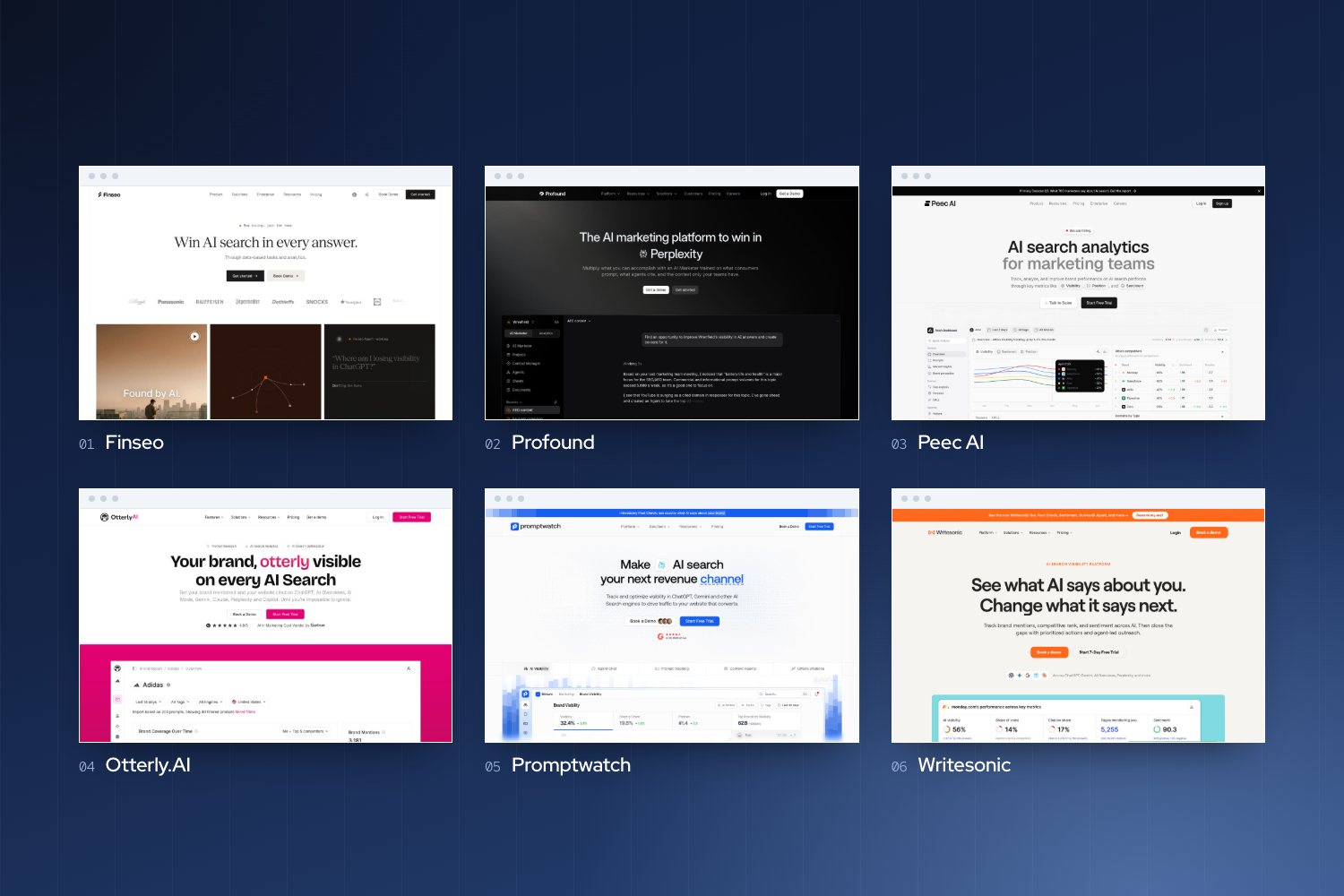
| Platform | Client seats published | Roles or permissions | Seat pricing | Share links |
|---|---|---|---|---|
| Finseo | Unlimited client seats in agency plans.[11][12] | Owner, Admin, Member and Client; clients can be assigned read-only access to specific projects.[9][5] | Finseo says client seats are free on agency plans.[11][12] | Presentation links can be viewed without login and presented full screen; reports also export as PDF and PPTX.[8] |
| Profound | Unlimited seats on the current Trial/Enterprise comparison; a separate agency client allowance is not published.[12] | Admin, Editor, Member, Viewer variants and Agent Operator; permissions can be restricted by organization and category.[13] | Separate client-seat surcharge is not published.[14] | Private, invited and anyone-with-link dashboards are documented; public links work without login.[15] |
| Peec AI | Unlimited team and client users on agency plans.[11] | Company Member, Project Member and Project Viewer; Project Viewer is limited to shared projects.[2] | No per-seat fee within the published allowance.[16] | View-only client links limited to selected charts are published; authentication and expiry controls are not published.[11] |
| Otterly.AI | Unlimited team members; invitations can be limited to selected workspaces.[11][3] | Admin, Member and Viewer; Viewer is read-only.[17] | Separate client-seat surcharge is not published.[18] | Looker Studio, CSV, JSON and PDF delivery are published; native public-link controls are not published.[19] |
| Promptwatch | Unlimited seats on listed plans, subject to possible contractual exceptions.[6] | Owner and Member roles, with Full access or View only per project; Members otherwise have broad project access by default.[6] | No per-seat fee within the published allowance.[6] | No public report-share links; PDF files and scheduled delivery are documented.[20] |
| Writesonic | Agency Starter advertises unlimited users; brand plans have limited included users.[21][22] | Owner, Admin and Member; Members are limited to assigned projects and are view-only within them.[9] | Brand-plan additional users are published at $50 per user per month; separate agency client pricing is not published.[21] | Shareable audit reports are published; native live-dashboard controls are not published.[14] |
| Scrunch | Agency client allowance is not published; brand Core includes five licenses.[23] | Admin, Editor, Viewer and Guest; Guest is read-only and restricted to the invited brand.[7] | Extra-user or guest pricing is not published.[7] | Agency dashboards and white-label outputs are published; public-link controls are not published.[24] |
| Semrush AI Visibility Toolkit | One account seat by default; Toolkit access requires a separate subuser license.[25][26] | Owner, Admin, User and external Guest; report-level View permission is separate from Toolkit access.[25] | AI Visibility Toolkit subusers cost $99; general added-user pricing starts at $45 but is not the complete Toolkit-access price.[25] | Account-based report sharing and public Online Dashboards are separate options.[27] |
The comparison shows why agencies should compare scope, not just seat counts. Unlimited users do not guarantee project isolation, and a free report share does not necessarily include access to the live AI visibility toolkit. Semrush explicitly separates generic view-only report sharing from licensed Toolkit access.[25]
How should an agency compare roles and permissions?
Use these five criteria before choosing a platform or plan:
- Project boundary: Can a client be restricted to one brand, workspace or project?
- Configuration authority: Can the client edit prompts, competitors, engines or schedules?
- User administration: Can the client invite users, change roles or access billing?
- Sharing controls: Are reports private, invited, public-link or export-only?
- Lifecycle controls: Can access, invitations, schedules and credentials be removed cleanly?
The project boundary matters more than the role label. Scrunch’s organization Viewer is read-only but can span organization brands, whereas its Guest role is restricted to an invited brand.[7] Peec’s Company Member similarly has much broader access than its Project Viewer.[2]
Promptwatch demonstrates another risk: Members have full access to all projects by default unless the agency restricts them to named projects.[6][9] A policy should therefore record both the role and the scope:
Client A — Project Viewer — Client A project only — no configuration, user or export administration.
That format is clearer than “Client A — Viewer.”
How should an agency handle SSO and audit trails?
SSO, authorization and audit logging solve different problems:
- SSO controls how users authenticate.
- Authorization controls what authenticated users can access.
- Audit logs record selected actions after access is granted.
Finseo publishes SAML SSO on Enterprise and the agency Custom package, and an audit trail with 12-month retention on Enterprise and all agency packages.[28] Profound publishes SAML and OIDC for Enterprise, with Directory Sync supporting automatic provisioning and deprovisioning.[29] Peec publishes SAML 2.0 for its Comprehensive agency tier but not SCIM, and says customer API keys are unaffected by SSO session requirements.[30]
Audit coverage also differs. Promptwatch makes audit logs available to Owners on Business and higher plans, recording changes made through the dashboard, API, MCP and Agent Chat.[31][6] Its documentation excludes data viewing and billing changes, so the log should not be treated as proof of who opened a report.[6] Profound’s Enterprise Activity Logs cover events such as logins, membership changes, API keys and SSO connections.[32]
For procurement, ask vendors:
- Which plans include SSO?
- Which protocols are supported?
- Is login enforcement available?
- Is SCIM or another automatic deprovisioning method available?
- Are API keys revoked separately?
- Are report views logged?
- What events are retained and for how long?
- Can logs be exported?
Do not treat “enterprise security” as a single feature. It can conceal significant differences in authentication, lifecycle management and evidence.
How should an agency set up client access?
Use this six-step process for every new client:
- Create a separate client project or workspace. Keep prompts, competitors, sources and reporting data separated before inviting anyone.
- Define the client data boundary. Write down the brands, markets, engines, dashboards and exports the client may access.
- Invite named users with the narrowest role. Prefer a project-scoped read-only role over a company-wide member role.
- Keep measurement controls with the agency. Restrict prompt sets, competitors, schedules, integrations, billing and user management.
- Choose the delivery method deliberately. Use named access for live exploration, an approved link for presentation-only distribution and exports for periodic reporting.
- Record and review the grant. Maintain the user, role, project, date, owner, delivery method and planned review or expiry date in an access register.
For a small agency, a PDF review plus occasional read-only access is usually operationally simple. A growing agency should standardize one client project and one tested client role per account. A large agency should add SSO, lifecycle automation and audit requirements where the client or procurement process demands them.
What should happen when a client leaves?
Offboarding must cover more than the platform login. Remove users and invitations, close reporting recipients, review shared links, revoke credentials and check connected BI or file-sharing systems.
NIST account-management guidance calls for account reviews, disabling accounts under defined conditions and changing shared authenticators when people leave a group.[3] OWASP also identifies forgotten decommissioning as an access-control risk.[3]
Audit trails and client offboarding: what should the agency check?
An audit trail can show configuration changes, membership updates or administrative events, but it may not show every report view. Promptwatch, for example, excludes data viewing and billing changes from its documented audit coverage.[6]
When offboarding a client, remove the user and pending invitations, disable identity-provider access, revoke or rotate relevant API keys, remove report recipients, stop scheduled deliveries and review any public links. Profound documents member removal and invitation revocation, while Promptwatch documents that deleting a schedule stops future deliveries but does not remove previously produced reports.[20]
If a platform does not publish link expiration or revocation behavior, obtain a vendor-specific answer rather than assuming that removing a user invalidates an existing URL.[3]
A client should never retain a shared agency credential. NIST recommends changing shared or group authenticators when someone leaves the group.[3] SSO removal also may not revoke API keys, as Peec explicitly notes.[30][33]
Which access setup fits each agency size?
- Solo agency: Use exported PDF reports as the default and add a project-scoped read-only seat only when the client needs live exploration.
- Small boutique: Give each client a named read-only seat, one project boundary and a standard monthly report template.
- Growing agency: Create a tested access template with client viewers, agency editors and a small administrator group.
- Large multi-client agency: Use separate workspaces or projects, formal access reviews, SSO where required and documented offboarding.
- Regulated or procurement-heavy agency: Prefer authenticated named access, require explicit audit-log coverage and document identity lifecycle responsibilities in the contract.
- Presentation-led agency: Use exports or deliberately public links, but do not imply that a public URL provides portal-level confidentiality.
Frequently asked questions
Should GEO platform clients get their own login?
Usually, yes, when they need ongoing access to live data. A named, project-scoped read-only account provides clearer identity and access boundaries than a shared credential or anonymous link.[3] Peec, Finseo and other platforms publish client or viewer access models, although the exact scope differs by product.[16]
Are read-only client seats free on AI visibility platforms?
Some agency plans include unlimited client seats, while others publish separate licensing for live toolkit access. Finseo says client seats are free on its agency plans, and Peec publishes unlimited client users without per-seat pricing within its agency allowance.[11] Semrush separately lists a $99 subuser charge for AI Visibility Toolkit access, so generic report sharing should not be confused with live toolkit access.[26][25]
Can clients edit prompts and competitor lists?
They should not by default. Prompt sets and competitor lists define the measurement system, so the agency should retain control and process requested changes through approval. Whether a platform can enforce each individual restriction must be checked in its permission matrix; a read-only project role is the safer starting point.[1][3]
Are shared AI visibility dashboard links secure?
A shared link is not equivalent to authenticated client access. Finseo and Profound publish no-login sharing options; ask each vendor how password protection, expiration and revocation work. Use such links only for information approved for that distribution model.
Does SSO automatically remove a departing client?
No. SSO enforcement and application offboarding are separate controls. Profound documents automatic provisioning and deprovisioning through Directory Sync, while Peec states that SSO session requirements do not affect customer API keys.[30] Remove application access, credentials and downstream reporting access separately.
Do audit logs show which client viewed a report?
Not necessarily. Promptwatch documents logs for organizational changes but excludes data viewing, so its audit trail cannot be treated as a complete report-read history.[6] Ask the vendor specifically whether dashboard views, exports, downloads and public-link visits are recorded.
Sources
- [1]C1: Implement Access Control - OWASP Top 10 Proactive Controls — top10proactive.owasp.org
- [2]Account, team and billing - How can I invite my colleague or client to Peec? | Peec AI Help Center — help.peec.ai
- [3]Security and Privacy Controls for Information Systems and Organizations — nvlpubs.nist.gov
- [4]Role-Based Access Control Models — csrc.nist.gov
- [5]Enterprise AI Visibility for Large Organizations | Finseo — finseo.ai
- [6]Team members and roles — promptwatch.com
- [7]Scrunch | FAQs - What user roles and permissions are available in Scrunch? — scrunch.com
- [8]AI Visibility Report Builder | Branded Reports | Finseo — finseo.ai
- [9]Team Management with Role-Based Access Control (RBAC) — docs.writesonic.com
- [10]Creating a PDF report — promptwatch.com
- [11]Peec AI Agency Pricing: Plans Built for Multi-Brand Tracking — peec.ai
- [12]Pricing | Profound — tryprofound.com
- [13]Roles and permissions — docs.tryprofound.com
- [14]AI Search Visibility Tracking & Optimization Platform | Writesonic — writesonic.com
- [15]Share Custom Dashboards with public links | Profound — tryprofound.com
- [16]Managing your projects — docs.peec.ai
- [17]I don’t see what my colleagues see - why? — help.otterly.ai
- [18]Do you provide Single-Sign-On (SSO) for OtterlyAI? — help.otterly.ai
- [19]Can I export my data and reports? — help.otterly.ai
- [20]Scheduling and sharing reports — promptwatch.com
- [21]Pricing | Writesonic AI Search Visibility Platform — writesonic.com
- [22]Agency Pricing | Writesonic AI Search Visibility Platform — writesonic.com
- [23]Scrunch | FAQs - What is the pricing for Scrunch plans? — scrunch.com
- [24]Scrunch | AI search optimization for agencies — scrunch.com
- [25]User Management — semrush.com
- [26]AI Visibility Toolkit: Boost Brand Visibility in AI Search — semrush.com
- [27]What is My Reports Suite and how does it work? — semrush.com
- [28]Pricing, Starter, Business, Growth & Enterprise | Finseo — finseo.ai
- [29]Enterprise Single Sign-On (SSO) overview - Profound — docs.tryprofound.com
- [30]Single sign-on (SSO) — docs.peec.ai
- [31]Audit Log | Promptwatch Changelog — promptwatch.com
- [32]Activity Logs — docs.tryprofound.com
- [33]AI Search Platform for Enterprise Brands | Peec AI — peec.ai
- [34]AI Visibility Platform for Agencies | Promptwatch — promptwatch.com